UI elements
Every element libzrnui has at commit ea16771, rendered by zrn render from the code beside it.
The language tab you pick is remembered. Each snippet is the body of a function that has app and page, and every language shown compiled and rendered the same pixels, except that the moving progress dots differ. Pictures use the phone's Segoe fonts.
Dialogs, menus and pickers. Status and gaps has the full list.
Text
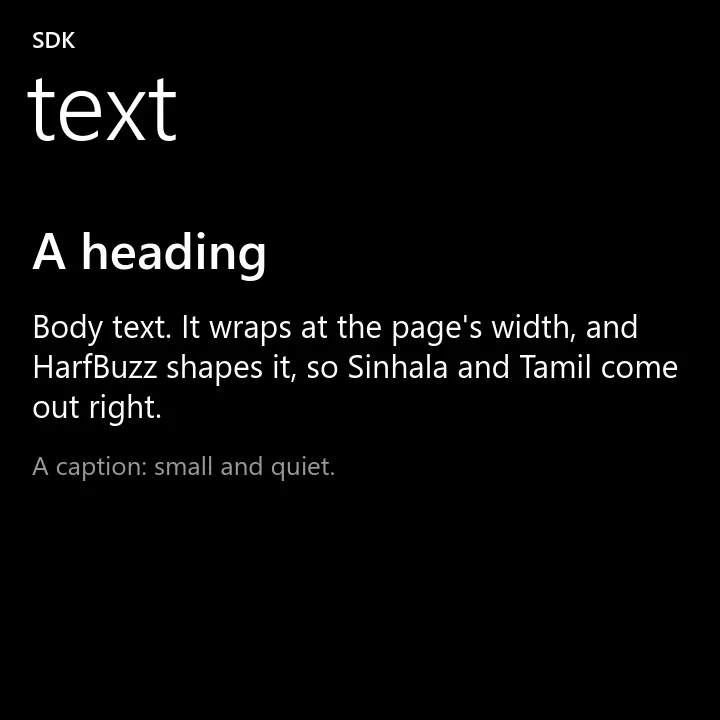
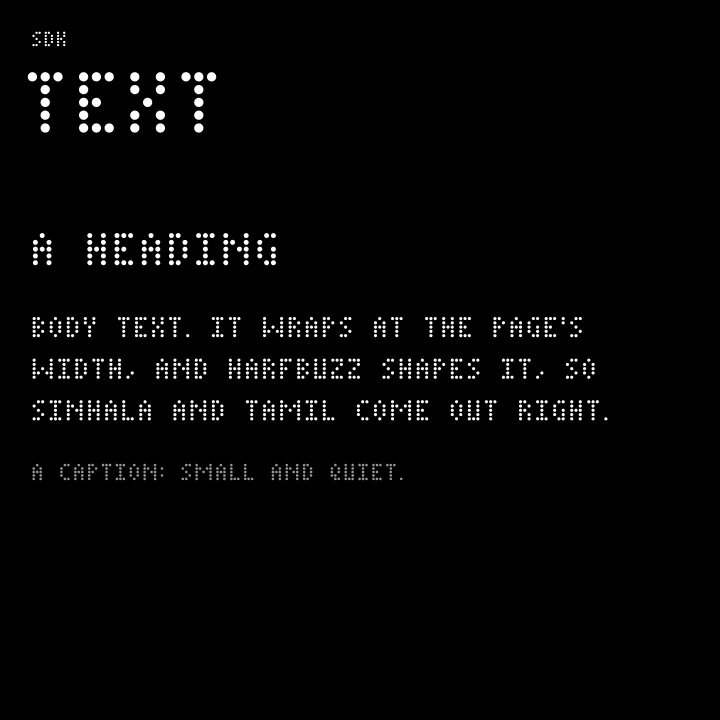
Three sizes of words. Long text wraps by itself. Change it later with set_text.
zui_text, zui_heading, zui_caption
zui_heading(page, "A heading");
zui_text(page, "Body text. It wraps at the page's width, and HarfBuzz shapes it, so Sinhala and Tamil come out right.");
zui_caption(page, "A caption: small and quiet.");
page.heading("A heading");
page.text("Body text. It wraps at the page's width, and HarfBuzz shapes it, so Sinhala and Tamil come out right.");
page.caption("A caption: small and quiet.");page.heading("A heading");
page.text("Body text. It wraps at the page's width, and HarfBuzz shapes it, so Sinhala and Tamil come out right.");
page.caption("A caption: small and quiet.");page.heading("A heading")
page.text("Body text. It wraps at the page's width, and HarfBuzz shapes it, so Sinhala and Tamil come out right.")
page.caption("A caption: small and quiet.")Buttons
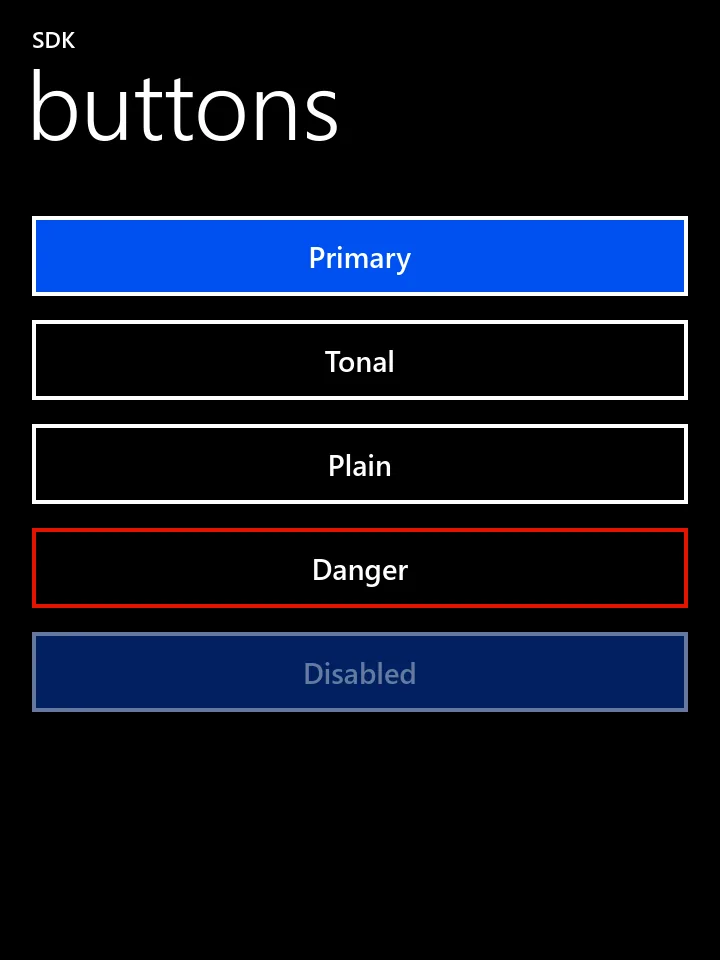
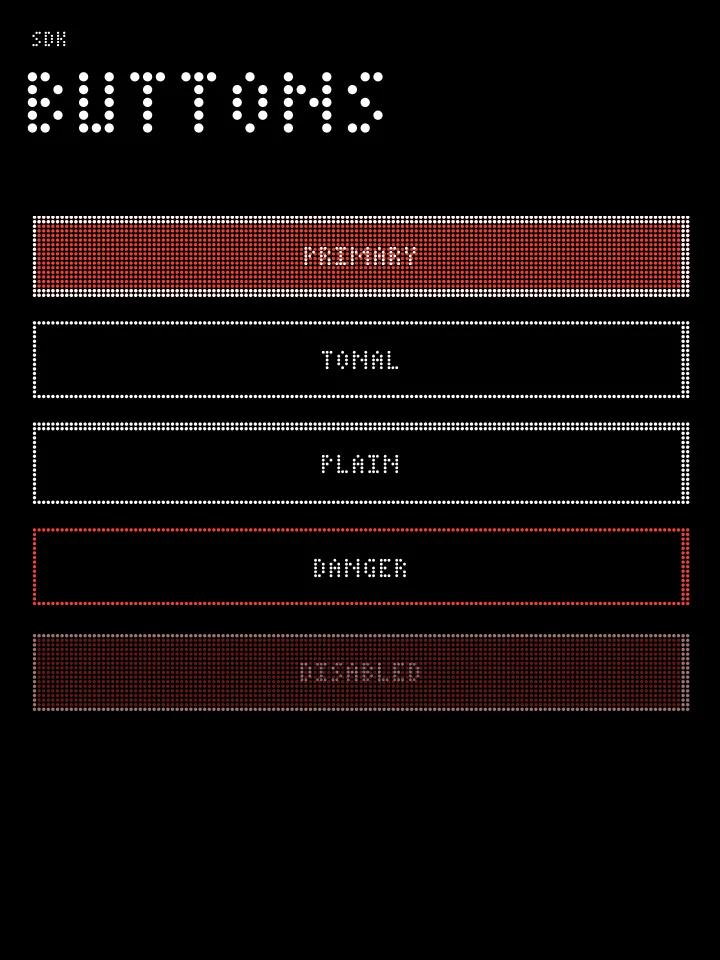
Four variants: primary (the default, filled with the accent), tonal and plain (outlined), and danger (a red edge in Metro). Use one primary button a page at most. A disabled node draws at 40 % opacity and takes no touch.
zui_button, zui_set_variant, zui_set_enabled
zui_button(page, "Primary", NULL, NULL);
zui_set_variant(zui_button(page, "Tonal", NULL, NULL), ZUI_TONAL);
zui_set_variant(zui_button(page, "Plain", NULL, NULL), ZUI_PLAIN);
zui_set_variant(zui_button(page, "Danger", NULL, NULL), ZUI_DANGER);
zui_set_enabled(zui_button(page, "Disabled", NULL, NULL), false);
using zrn::ui::Variant;
page.button("Primary");
page.button("Tonal").set_variant(Variant::Tonal);
page.button("Plain").set_variant(Variant::Plain);
page.button("Danger").set_variant(Variant::Danger);
page.button("Disabled").set_enabled(false);use zrnui::Variant;
page.button("Primary");
page.button("Tonal").set_variant(Variant::Tonal);
page.button("Plain").set_variant(Variant::Plain);
page.button("Danger").set_variant(Variant::Danger);
page.button("Disabled").set_enabled(false);page.button("Primary")
page.button("Tonal", variant=zrnui.TONAL)
page.button("Plain", variant=zrnui.PLAIN)
page.button("Danger", variant=zrnui.DANGER)
page.button("Disabled").enabled = FalseList rows
An item is a title, an optional line under it, an optional value and an optional icon. In these styles the value is the accent-coloured second line, as ztMETRO's choices are. There is no arrow on a row: a handler makes it tappable, and it tilts under the finger.
zui_item, zui_set_detail, zui_set_icon
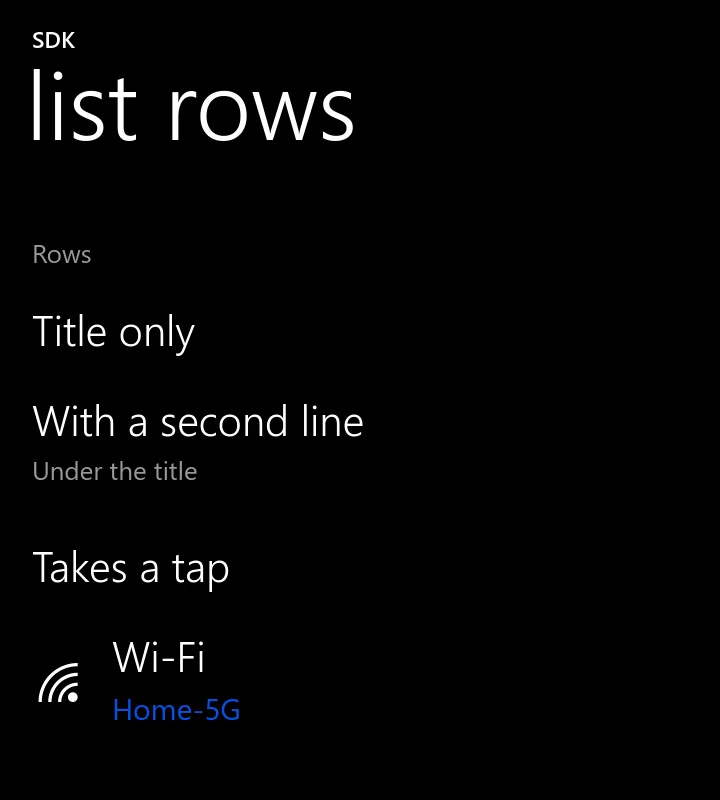
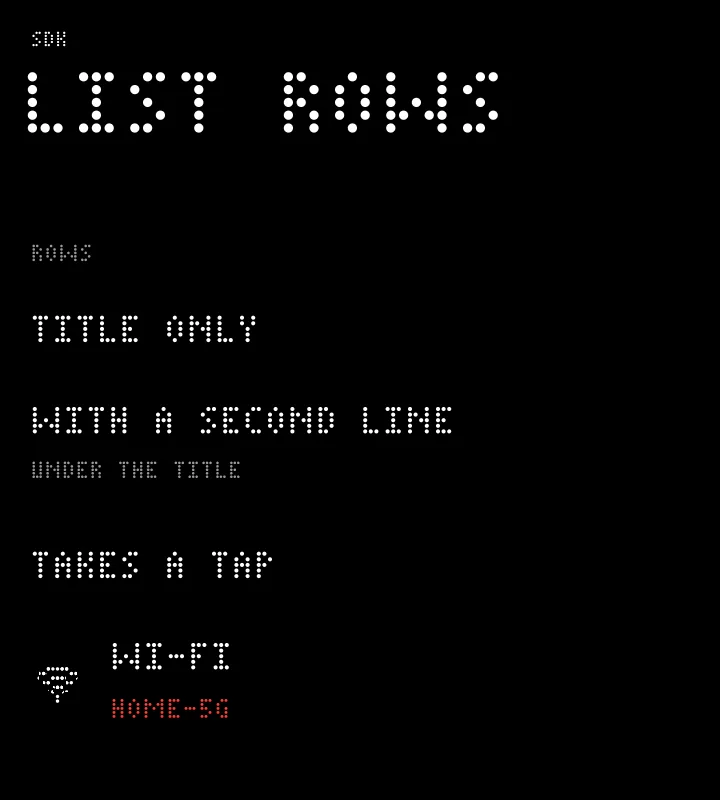
static void row_tapped(zui_node *row, void *data) { zui_toast(zui_node_app(row), "Tapped"); }

zui_node *list = zui_section(page, "Rows");
zui_item(list, "Title only", NULL, NULL, NULL);
zui_item(list, "With a second line", "Under the title", NULL, NULL);
zui_item(list, "Takes a tap", NULL, row_tapped, NULL);
zui_node *wifi = zui_item(list, "Wi-Fi", NULL, row_tapped, NULL);
zui_set_icon(wifi, "wifi");
zui_set_detail(wifi, "Home-5G");
auto list = page.section("Rows");
list.item("Title only");
list.item("With a second line", "Under the title");
list.item("Takes a tap", "", [&app] { app.toast("Tapped"); });
list.item("Wi-Fi", "", [&app] { app.toast("Tapped"); }).set_icon("wifi").set_detail("Home-5G");let list = page.section("Rows");
list.item("Title only", None);
list.item("With a second line", Some("Under the title"));
list.item("Takes a tap", None).on_click(move || app.toast("Tapped"));
list.item("Wi-Fi", None).on_click(move || app.toast("Tapped")).set_icon("wifi").set_detail("Home-5G");rows = page.section("Rows")
rows.item("Title only")
rows.item("With a second line", "Under the title")
rows.item("Takes a tap", on_click=lambda: app.toast("Tapped"))
rows.item("Wi-Fi", on_click=lambda: app.toast("Tapped"), icon="wifi", detail="Home-5G")Switches
A row with an on/off control, and On or Off as its second line unless you set one. In C the handler reads zui_get_on; the other languages pass the new state. The block slides over 180 ms. set_detail sets the second line. C++ calls it toggle because switch is a keyword.
zui_switch, zui_get_on, zui_set_on, zui_set_detail
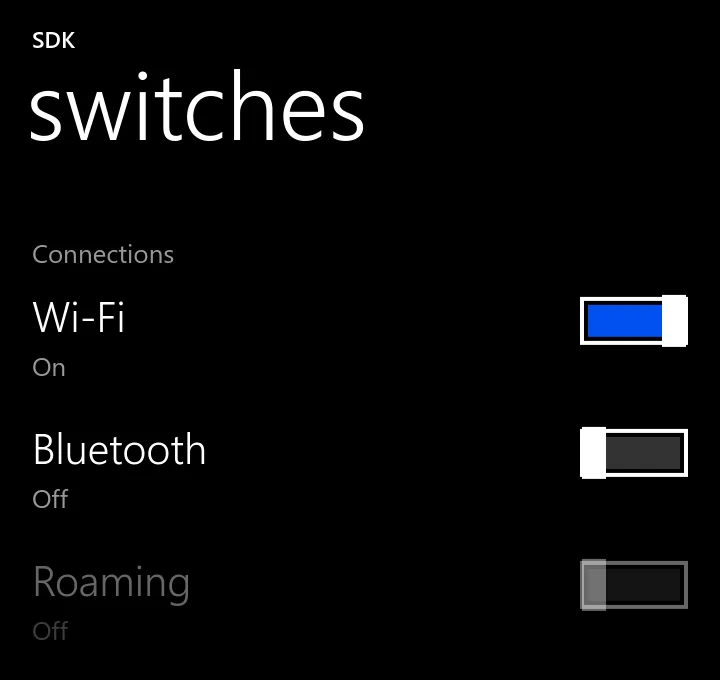
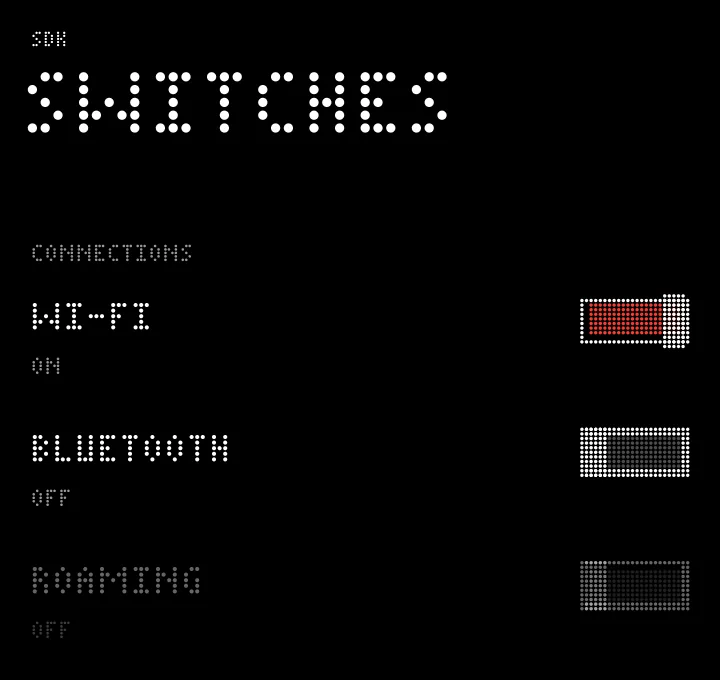
static void wifi_changed(zui_node *sw, void *data) {
	zui_set_detail(sw, zui_get_on(sw) ? "Connected" : "Off");
}

zui_node *card = zui_section(page, "Connections");
zui_switch(card, "Wi-Fi", true, wifi_changed, NULL);
zui_switch(card, "Bluetooth", false, NULL, NULL);
zui_set_enabled(zui_switch(card, "Roaming", false, NULL, NULL), false);
auto card = page.section("Connections");
auto wifi = card.toggle("Wi-Fi", true);
wifi.on([](zrn::ui::Node sw, int) { sw.set_detail(sw.is_on() ? "Connected" : "Off"); });
card.toggle("Bluetooth", false);
card.toggle("Roaming", false).set_enabled(false);let card = page.section("Connections");
let wifi = card.switch("Wi-Fi", true);
wifi.on_change(move |on| { wifi.set_detail(if on { "Connected" } else { "Off" }); });
card.switch("Bluetooth", false);
card.switch("Roaming", false).set_enabled(false);card = page.section("Connections")
wifi = card.switch("Wi-Fi", True)
wifi.on_event(lambda sw, event: setattr(wifi, "detail", "Connected" if wifi.on else "Off"))
card.switch("Bluetooth", False)
card.switch("Roaming", False).enabled = FalseSliders
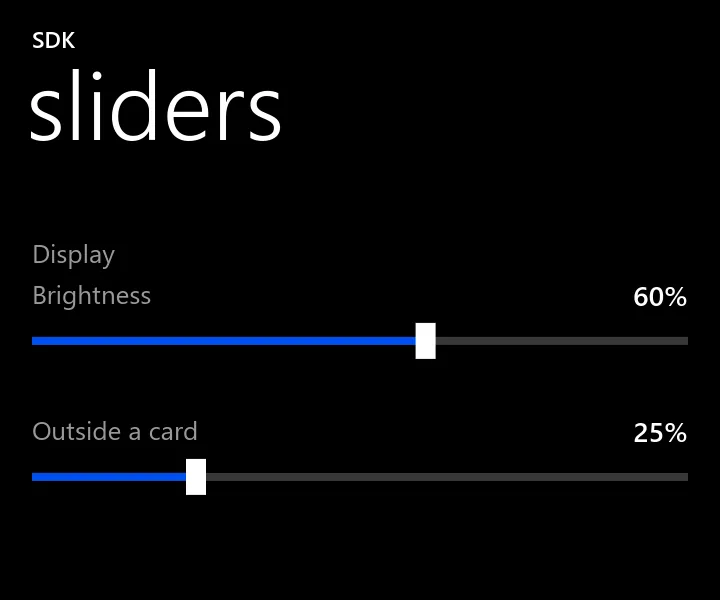
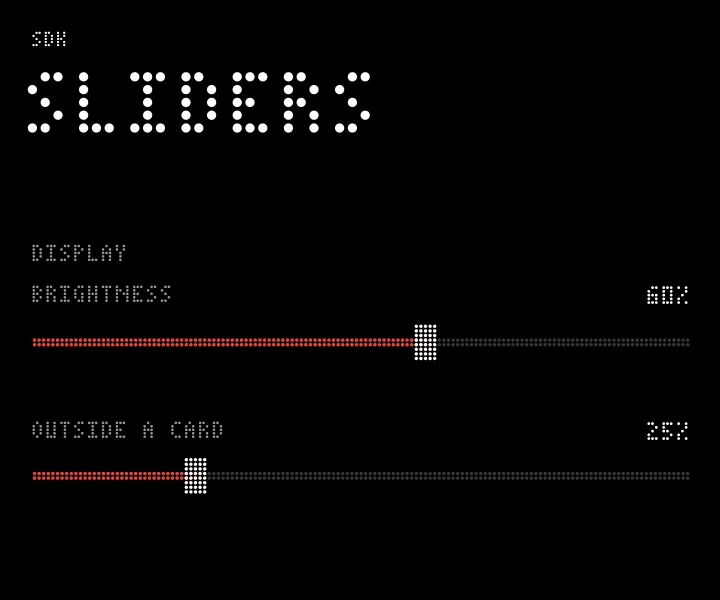
A value from 0 to 1. CHANGE fires while the finger moves and SUBMIT when it lifts, so save on submit.
zui_slider, zui_get_value, zui_event
static void level_moved(zui_node *s, void *data) {
	if (zui_event(s) == ZUI_EVENT_SUBMIT) printf("saved %.2f\n", zui_get_value(s));
}

zui_node *card = zui_section(page, "Display");
zui_slider(card, "Brightness", 0.6, level_moved, NULL);
zui_slider(page, "Outside a card", 0.25, NULL, NULL);
auto card = page.section("Display");
card.slider("Brightness", 0.6, [](double v, bool done) { if (done) printf("saved %.2f\n", v); });
page.slider("Outside a card", 0.25);let card = page.section("Display");
card.slider("Brightness", 0.6).on_slide(|v, done| { if done { println!("saved {v:.2}"); } });
page.slider("Outside a card", 0.25);card = page.section("Display")
card.slider("Brightness", 0.6, on_release=lambda v: print("saved %.2f" % v))
page.slider("Outside a card", 0.25)Progress
Give it 0 to 1, or a value below 0 when you cannot say how long it will take. Below 0 it shows the dots crossing by themselves, and the picture is one instant of them.
zui_progress, zui_set_value
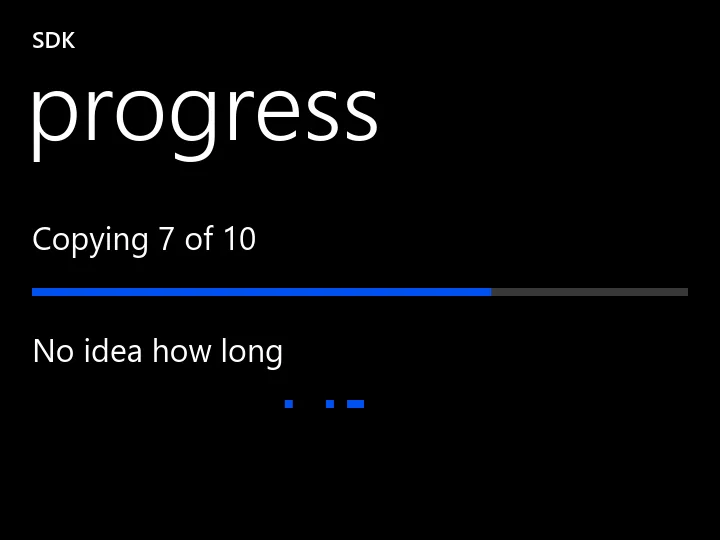
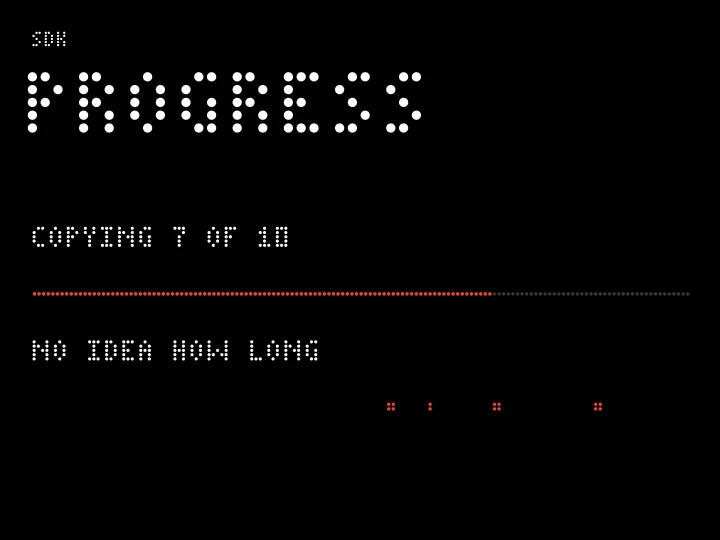
zui_text(page, "Copying 7 of 10");
zui_progress(page, 0.7);
zui_text(page, "No idea how long");
zui_progress(page, -1);
page.text("Copying 7 of 10");
page.progress(0.7);
page.text("No idea how long");
page.progress(-1);page.text("Copying 7 of 10");
page.progress(0.7);
page.text("No idea how long");
page.progress(-1.0);page.text("Copying 7 of 10")
page.progress(0.7)
page.text("No idea how long")
page.progress(-1)Text fields
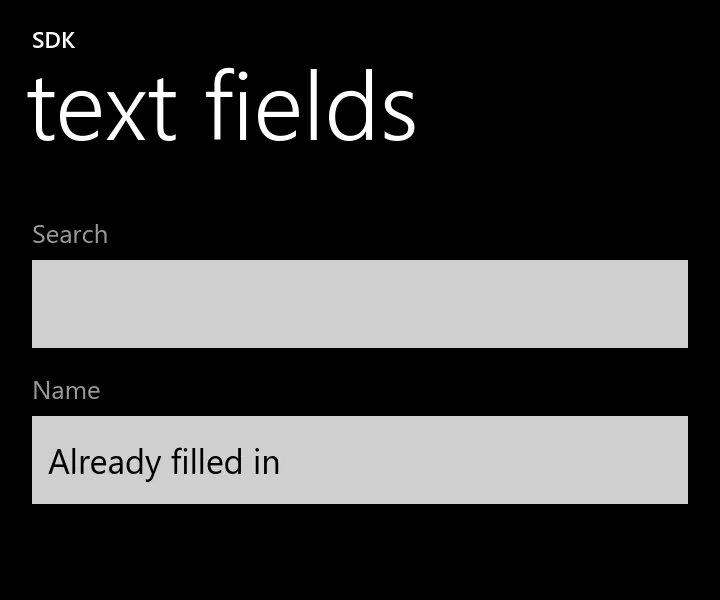
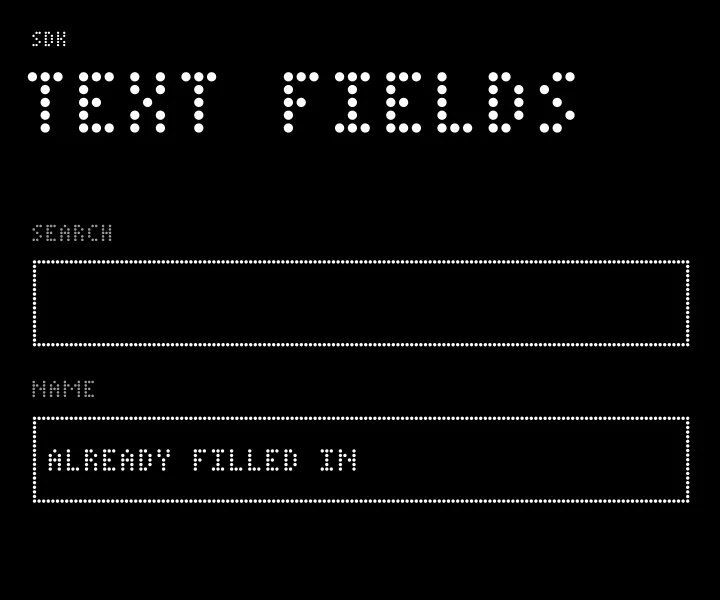
A box to type into. Tapping it asks the shell for the on-screen keyboard. The placeholder is the caption above the box; inside a footer it is a hint in the box. CHANGE fires per edit and SUBMIT on Enter. There is no password mode or multi-line field in this commit.
zui_field, zui_get_text, zui_set_text
static void search_typed(zui_node *f, void *data) {
	if (zui_event(f) == ZUI_EVENT_SUBMIT) printf("search: %s\n", zui_get_text(f));
}

zui_field(page, "Search", search_typed, NULL);
zui_set_text(zui_field(page, "Name", NULL, NULL), "Already filled in");
page.field("Search", [](const std::string &t, bool submitted) {
if (submitted) printf("search: %s\n", t.c_str());
});
page.field("Name").set_text("Already filled in");page.field("Search").on_edit(|t, submitted| { if submitted { println!("search: {t}"); } });
page.field("Name").set_text("Already filled in");page.field("Search", on_submit=lambda t: print("search:", t))
page.field("Name").set_text("Already filled in")Sections and cards
section adds a heading and returns the card under it, so add rows to what it returns. A bare card is the same group with no heading. Cards are flat in both styles: the rows just sit on black, with no dividers drawn.
zui_section, zui_card
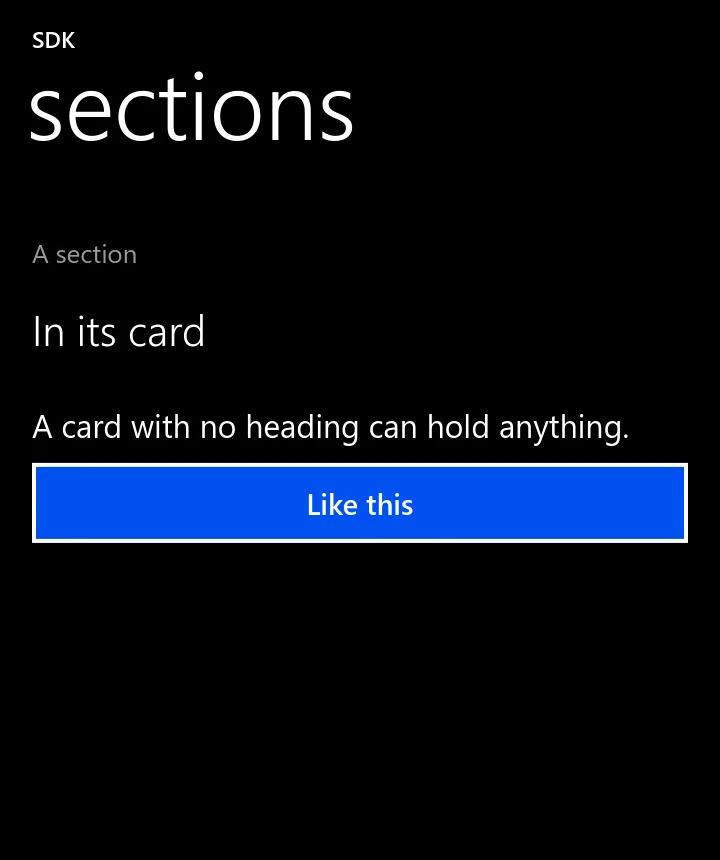
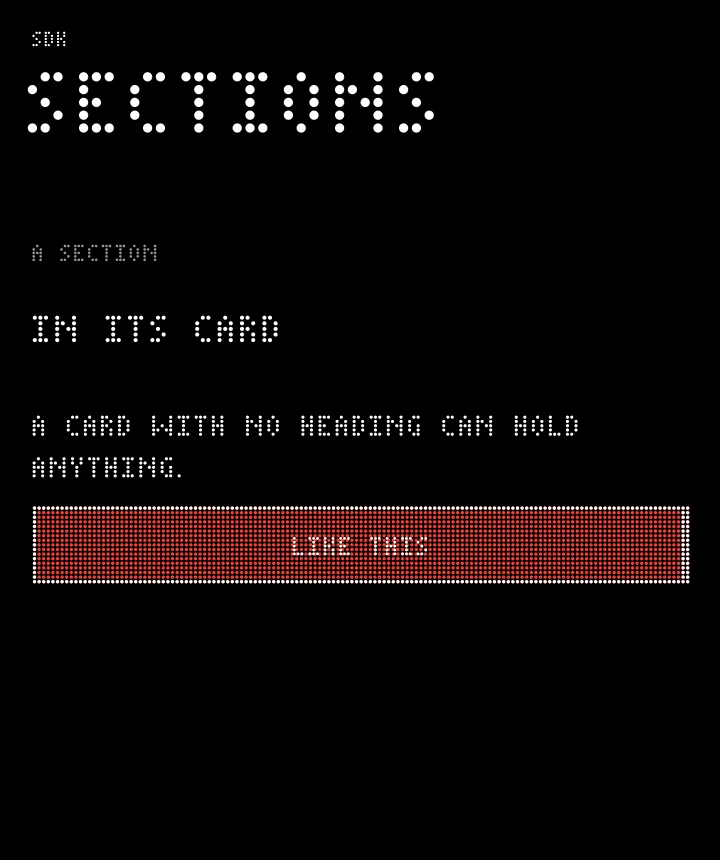
zui_item(zui_section(page, "A section"), "In its card", NULL, NULL, NULL);
zui_node *card = zui_card(page);
zui_text(card, "A card with no heading can hold anything.");
zui_button(card, "Like this", NULL, NULL);
page.section("A section").item("In its card");
auto card = page.card();
card.text("A card with no heading can hold anything.");
card.button("Like this");page.section("A section").item("In its card", None);
let card = page.card();
card.text("A card with no heading can hold anything.");
card.button("Like this");page.section("A section").item("In its card")
card = page.card()
card.text("A card with no heading can hold anything.")
card.button("Like this")Rows, columns, space
A page is already a column. A row sets things side by side, and set_flex shares out the spare width. space adds fixed points. Do not fake layout with space: use sections.
zui_row, zui_column, zui_space, zui_set_flex
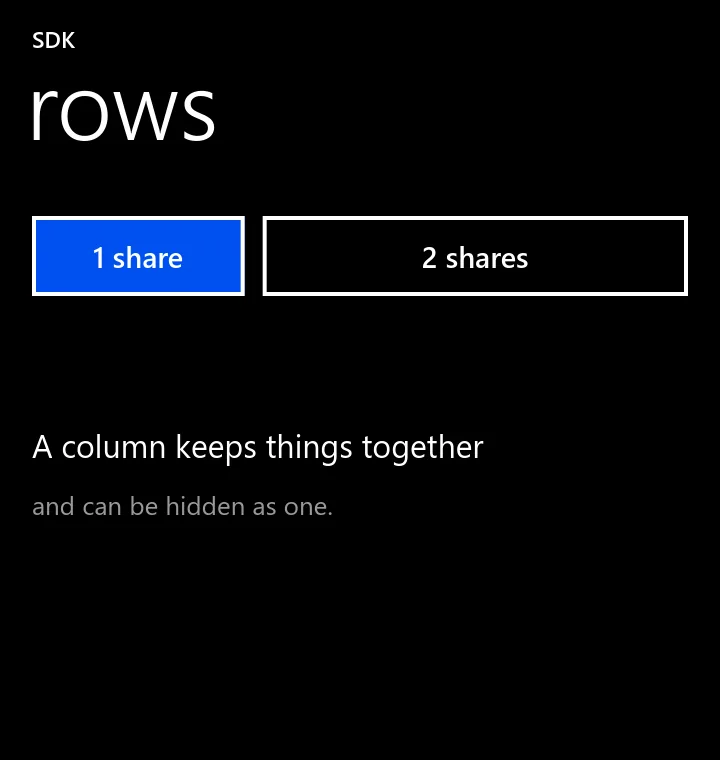
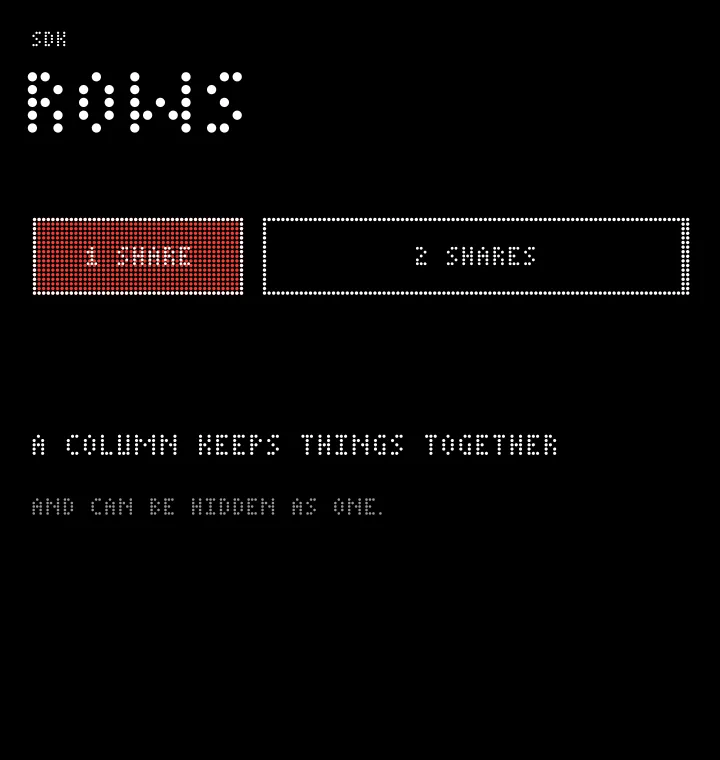
zui_node *row = zui_row(page);
zui_set_flex(zui_button(row, "1 share", NULL, NULL), 1);
zui_node *wide = zui_button(row, "2 shares", NULL, NULL);
zui_set_variant(wide, ZUI_TONAL);
zui_set_flex(wide, 2);
zui_space(page, 40);
zui_node *col = zui_column(page);
zui_text(col, "A column keeps things together");
zui_caption(col, "and can be hidden as one.");
auto row = page.row();
row.button("1 share").set_flex(1);
row.button("2 shares").set_variant(zrn::ui::Variant::Tonal).set_flex(2);
page.space(40);
auto col = page.column();
col.text("A column keeps things together");
col.caption("and can be hidden as one.");let row = page.row();
row.button("1 share").set_flex(1.0);
row.button("2 shares").set_variant(zrnui::Variant::Tonal).set_flex(2.0);
page.space(40.0);
let col = page.column();
col.text("A column keeps things together");
col.caption("and can be hidden as one.");row = page.row()
row.button("1 share").flex = 1
row.button("2 shares", variant=zrnui.TONAL).flex = 2
page.space(40)
col = page.column()
col.text("A column keeps things together")
col.caption("and can be hidden as one.")Round buttons
A button with an icon becomes a round button with its word under it, as on an app bar. Put them in a row and share the width with flex.
zui_button, zui_set_icon
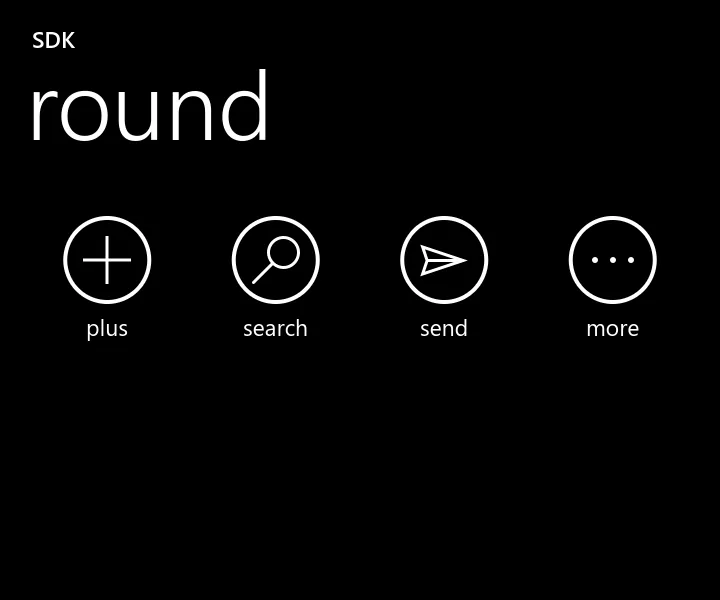
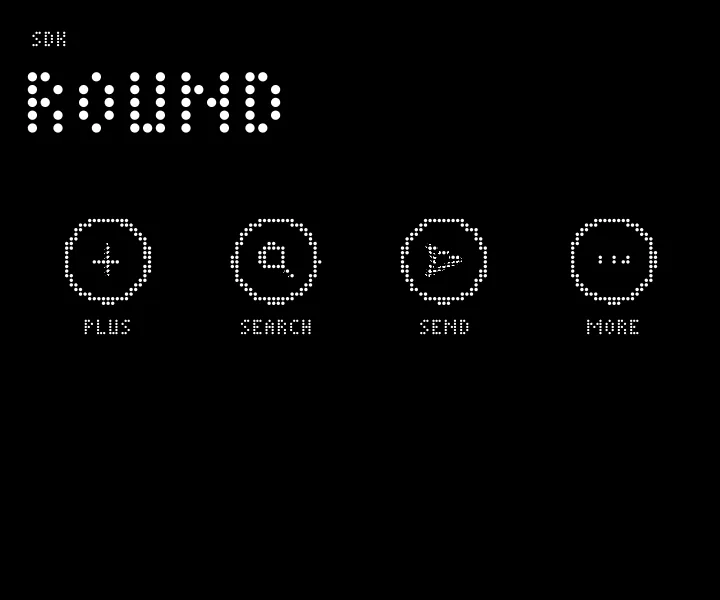
zui_node *bar = zui_row(page);
const char *names[] = { "plus", "search", "send", "more" };
for (int i = 0; i < 4; i++) {
	zui_node *b = zui_button(bar, names[i], NULL, NULL);
	zui_set_icon(b, names[i]);
	zui_set_flex(b, 1);
}
auto bar = page.row();
for (const char *name : { "plus", "search", "send", "more" })
bar.button(name).set_icon(name).set_flex(1);let bar = page.row();
for name in ["plus", "search", "send", "more"] {
bar.button(name).set_icon(name).set_flex(1.0);
}bar = page.row()
for name in ["plus", "search", "send", "more"]:
b = bar.button(name)
b.icon = name
b.flex = 1Pictures
Decode a JPEG or PNG on any thread with zui_pixmap_load or zui_pixmap_decode, then show it on the UI thread. Nodes keep their own reference, so you may free yours. An item with a picture or a monogram becomes a thread row: a tile, a title, a line, a time and a count. Under DotMatrix a picture is dots of the palette's main colour. The picture here is made in code.
zui_pixmap_load, zui_pixmap_decode, zui_pixmap_rgba, zui_image, zui_set_image, zui_set_monogram, zui_set_badge, zui_set_emphasis, zui_set_radius, zui_set_image_sharp
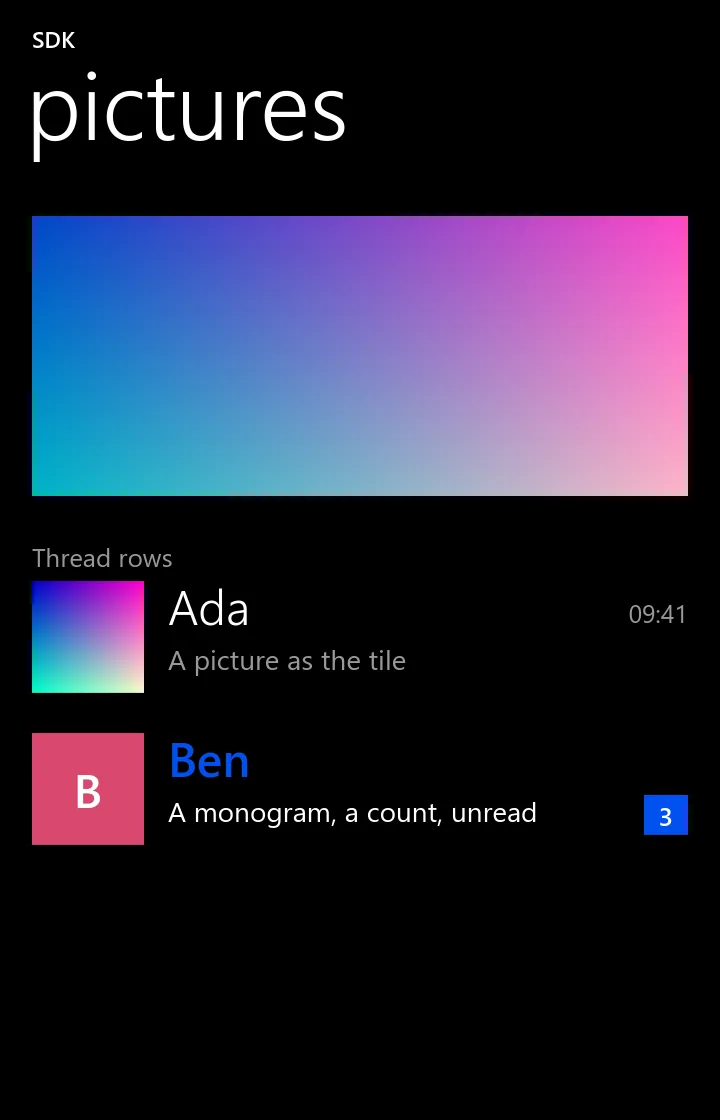
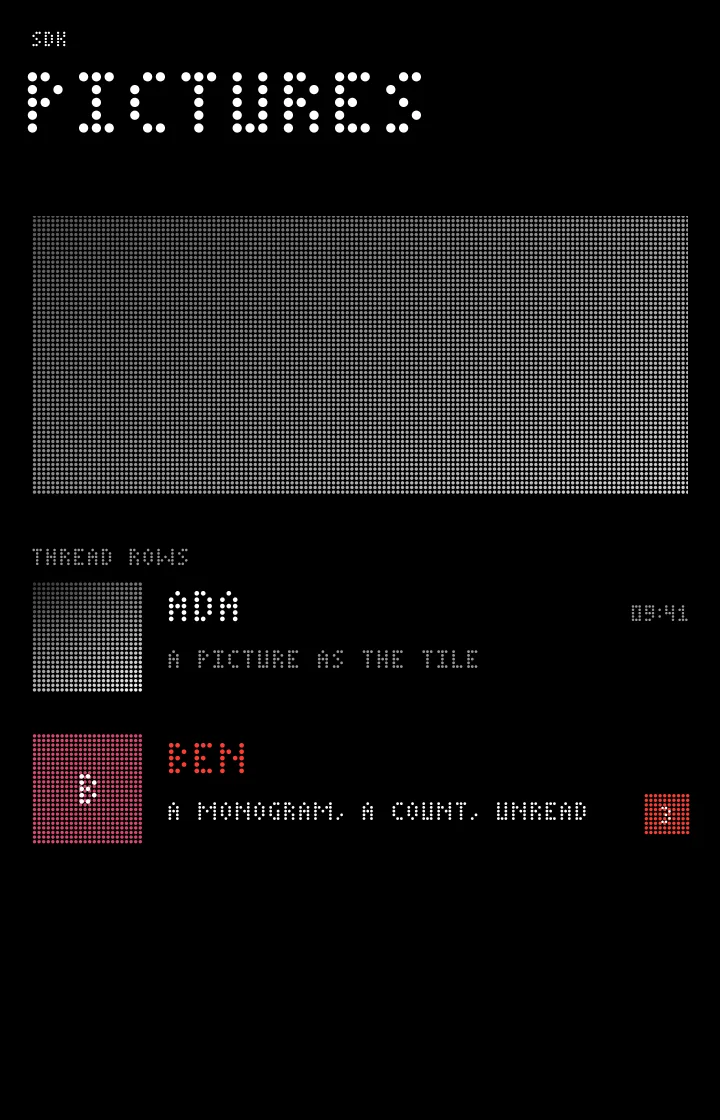
C and C++ only. The Rust and Python bindings have no call for this at this commit.
static uint8_t px[64 * 64 * 4];
for (int i = 0; i < 64 * 64; i++) {
	px[i * 4] = i % 64 * 4; px[i * 4 + 1] = i / 64 * 4; px[i * 4 + 2] = 200; px[i * 4 + 3] = 255;
}
zui_pixmap *pix = zui_pixmap_rgba(64, 64, px);  /* or zui_pixmap_load("photo.jpg", 1024) */
zui_image(page, pix, 0, 140);                   /* width 0: all there is */
zui_node *card = zui_section(page, "Thread rows");
zui_node *a = zui_item(card, "Ada", "A picture as the tile", NULL, NULL);
zui_set_image(a, pix);
zui_set_detail(a, "09:41");
zui_node *b = zui_item(card, "Ben", "A monogram, a count, unread", NULL, NULL);
zui_set_monogram(b, "B");
zui_set_tint(b, 0xd9486e);
zui_set_badge(b, "3");
zui_set_emphasis(b, true);
zui_pixmap_free(pix);
static uint8_t px[64 * 64 * 4];
for (int i = 0; i < 64 * 64; i++) {
px[i * 4] = i % 64 * 4; px[i * 4 + 1] = i / 64 * 4; px[i * 4 + 2] = 200; px[i * 4 + 3] = 255;
}
zui_pixmap *pix = zui_pixmap_rgba(64, 64, px); // or zui_pixmap_load("photo.jpg", 1024)
page.image(pix, 0, 140);
auto card = page.section("Thread rows");
card.item("Ada", "A picture as the tile").set_image(pix).set_detail("09:41");
card.item("Ben", "A monogram, a count, unread").set_monogram("B").set_tint(0xd9486e)
.set_badge("3").set_emphasis(true);
zui_pixmap_free(pix);Long lists
Thousands of rows of differing heights. bind fills a row when it comes near the screen, and height is only a guess, corrected once the row is made. The list must be the last thing in its page or tab. Its handler gets CHANGE near the start, which is your chance to zui_list_prepend older rows and then zui_list_allow_more. zui_page_scroll_end keeps a chat at its end as it grows.
zui_list, zui_list_append, zui_list_prepend, zui_list_refresh, zui_list_set_count, zui_page_scroll_end, zui_page_at_end
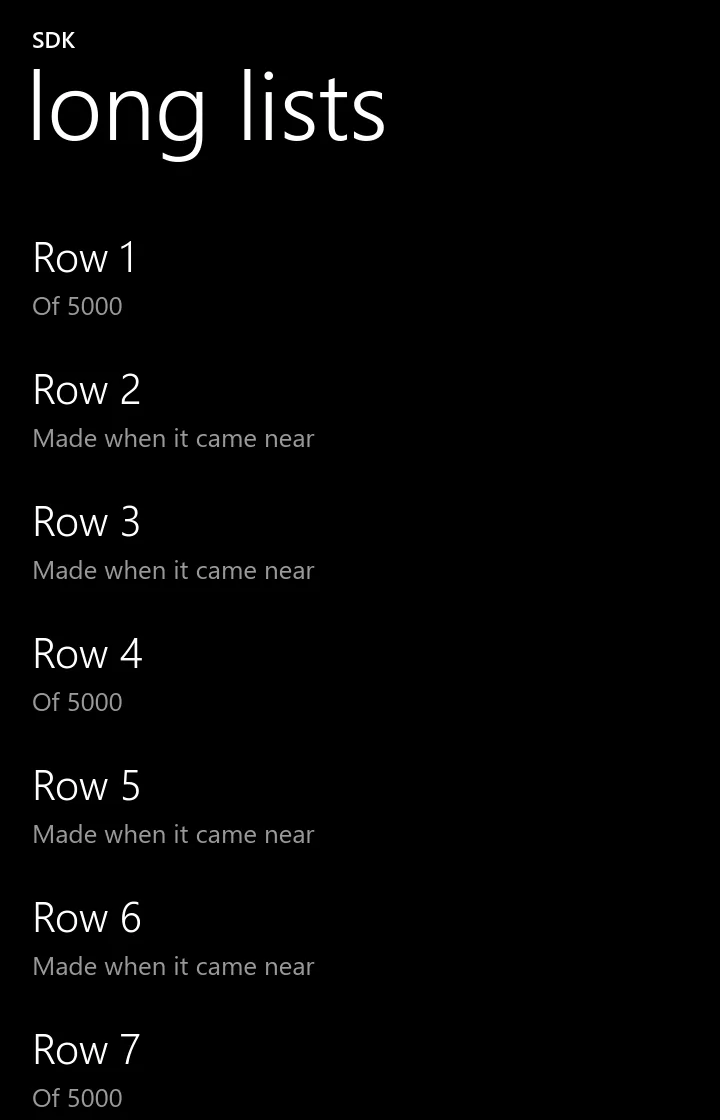
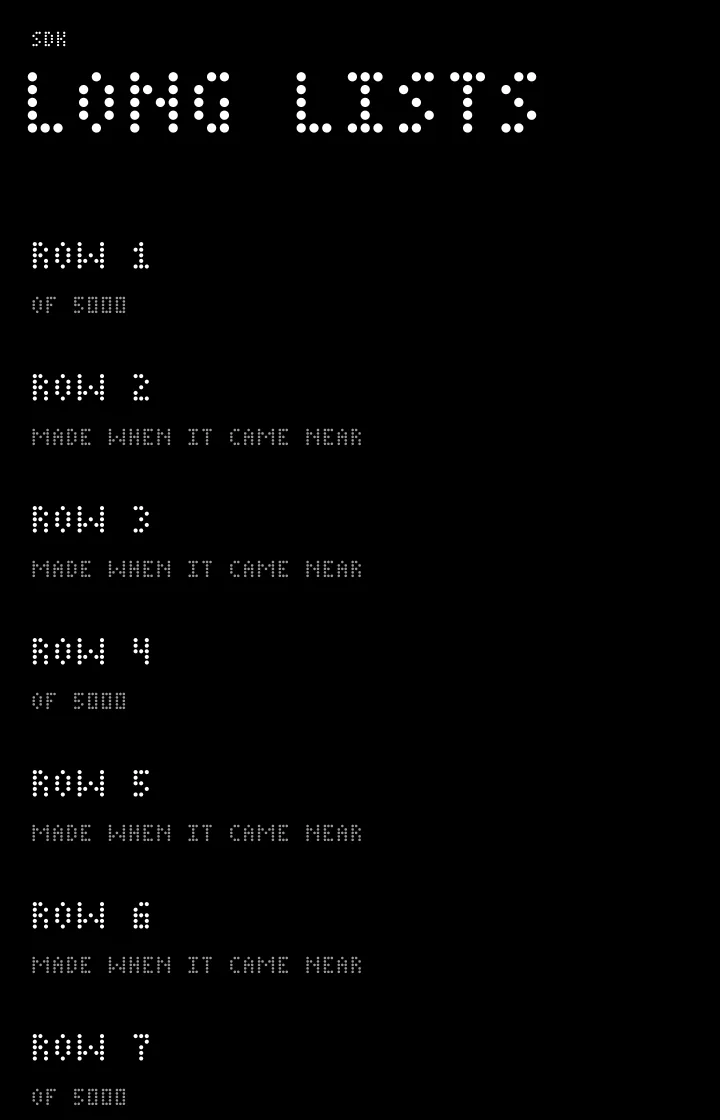
C and C++ only. The Rust and Python bindings have no call for this at this commit.
static double row_height(int row, void *data) { return 66; }
static void row_bind(int row, zui_node *node, void *data) {
	char title[32];
	snprintf(title, sizeof(title), "Row %d", row + 1);
	zui_item(node, title, row % 3 ? "Made when it came near" : "Of 5000", NULL, NULL);
}

zui_list(page, 5000, row_height, row_bind, NULL);
page.list(5000, [](int) { return 66.0; }, [](int row, zrn::ui::Node node) {
node.item("Row " + std::to_string(row + 1), row % 3 ? "Made when it came near" : "Of 5000");
});Pivots
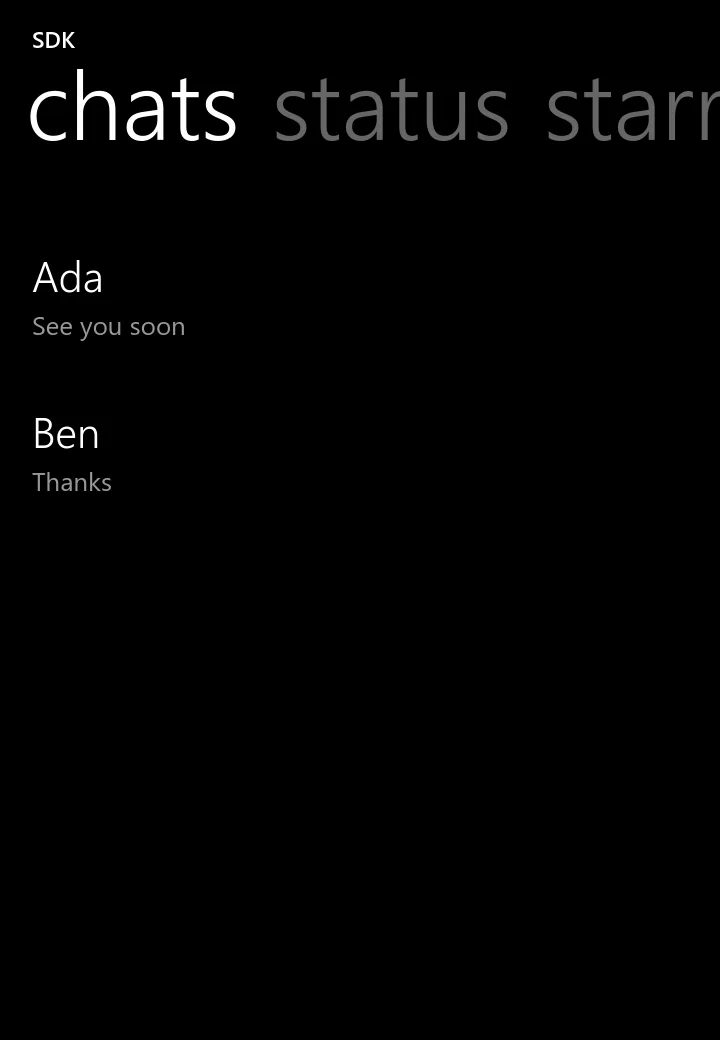
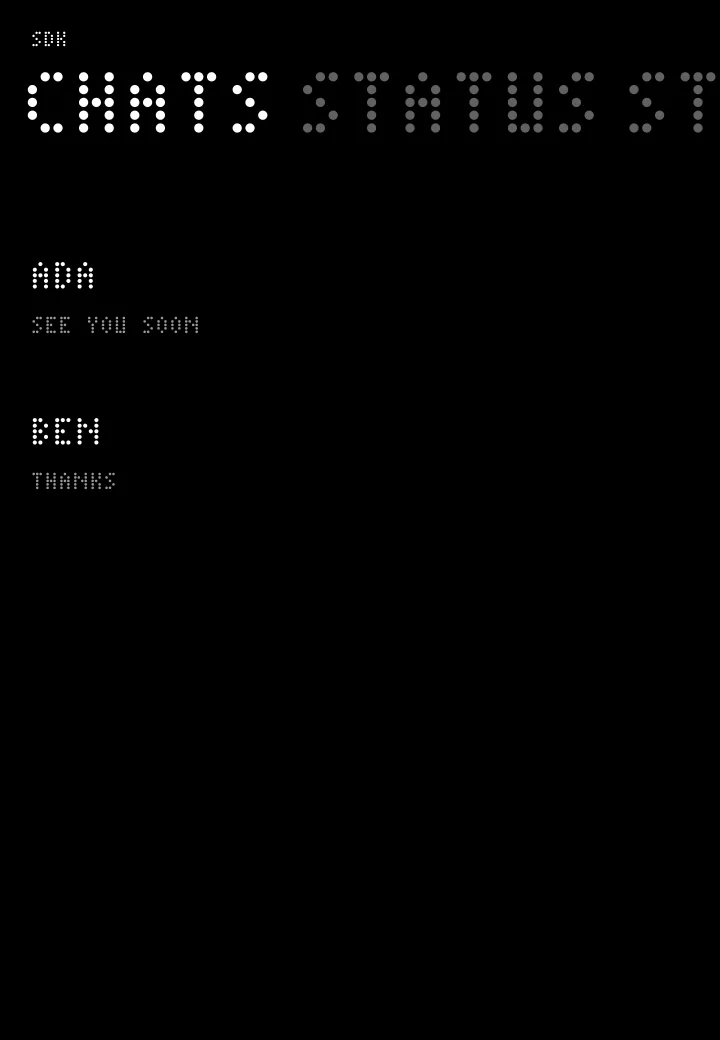
Tabs under the app's name that swipe. The tab in front has its title white and the next ones run grey off the edge. Each tab is a column with its own scroll place, and the handler of the tabs gets CHANGE when the tab changes.
zui_tabs, zui_tab, zui_tabs_select, zui_tabs_current
C and C++ only. The Rust and Python bindings have no call for this at this commit.
zui_node *tabs = zui_tabs(page);
zui_node *one = zui_tab(tabs, "chats");
zui_item(one, "Ada", "See you soon", NULL, NULL);
zui_item(one, "Ben", "Thanks", NULL, NULL);
zui_item(zui_tab(tabs, "status"), "Nothing yet", NULL, NULL, NULL);
zui_item(zui_tab(tabs, "starred"), "Nothing yet", NULL, NULL, NULL);
auto tabs = page.tabs();
auto one = tabs.tab("chats");
one.item("Ada", "See you soon");
one.item("Ben", "Thanks");
tabs.tab("status").item("Nothing yet");
tabs.tab("starred").item("Nothing yet");Bubbles and compact titles
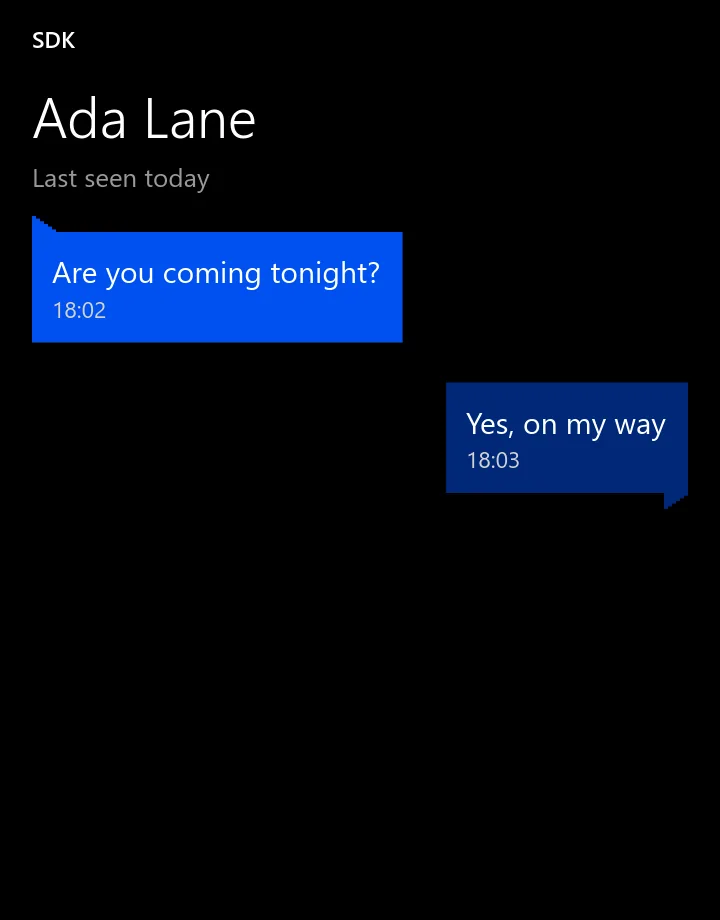
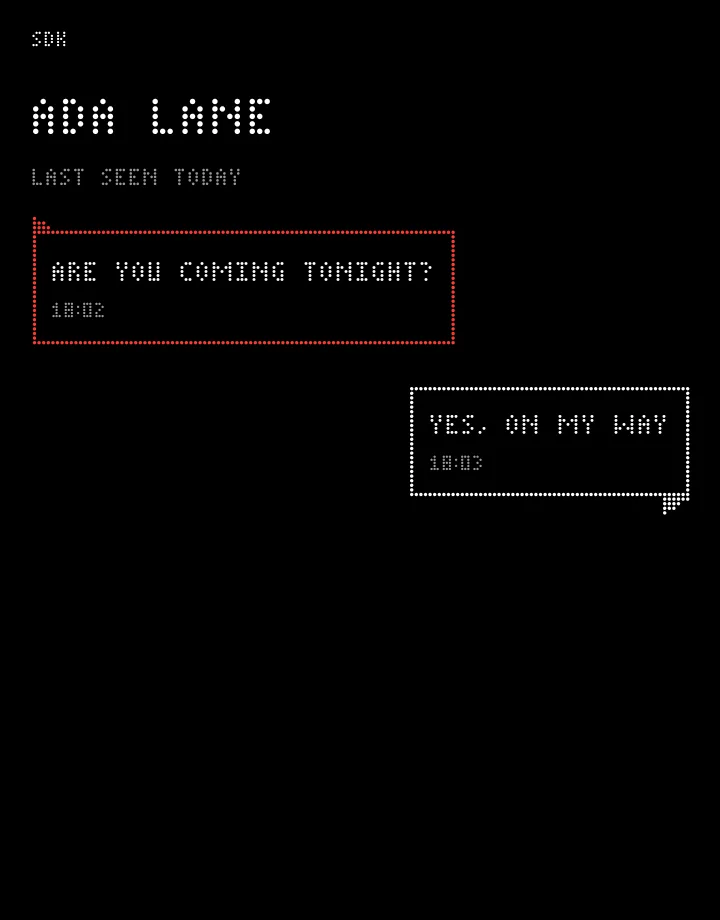
A speech bubble is as wide as what is in it, and sits on the end if it is yours. A compact page shows its title as given and smaller, with a line under it, for a person's name. zui_set_align sets text to start (0), end (1) or centre (2).
zui_bubble, zui_page_set_compact, zui_set_subtitle, zui_set_align
C and C++ only. The Rust and Python bindings have no call for this at this commit.
zui_page_set_compact(page, true);
zui_set_subtitle(page, "Last seen today");
zui_node *in = zui_bubble(page, false);
zui_text(in, "Are you coming tonight?");
zui_caption(in, "18:02");
zui_node *me = zui_bubble(page, true);
zui_text(me, "Yes, on my way");
zui_caption(me, "18:03");
page.set_compact(true);
page.set_subtitle("Last seen today");
auto in = page.bubble(false);
in.text("Are you coming tonight?");
in.caption("18:02");
auto me = page.bubble(true);
me.text("Yes, on my way");
me.caption("18:03");Footer
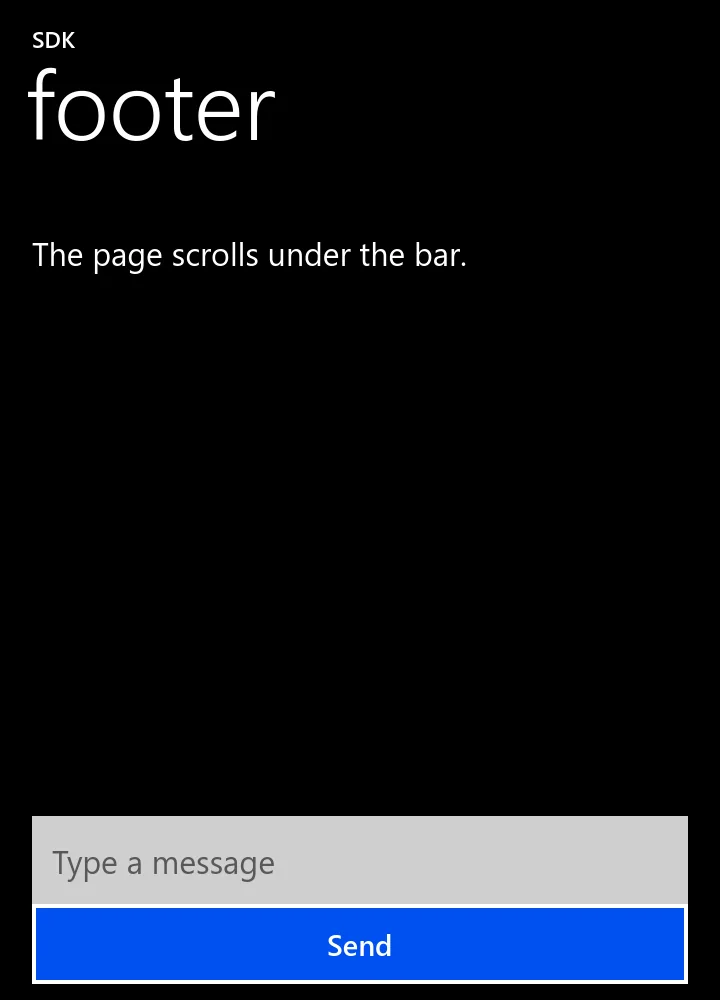
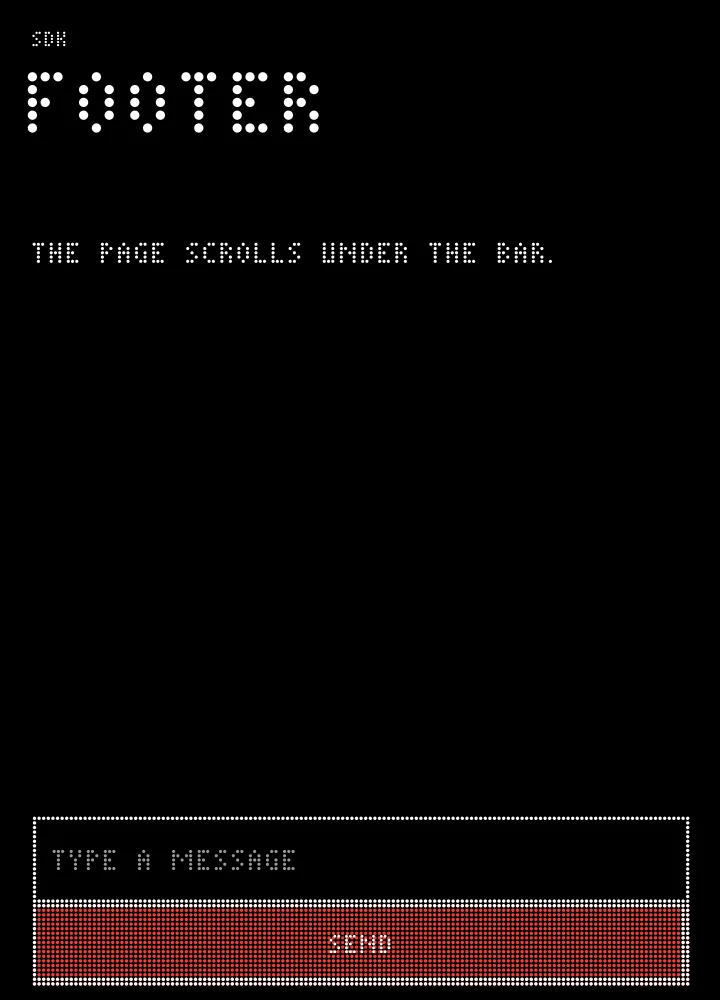
A row fixed at the bottom of a page, over its list. A field in it shows its hint inside the box, and asks the shell to lift the window with the keyboard.
zui_footer
C and C++ only. The Rust and Python bindings have no call for this at this commit.
zui_text(page, "The page scrolls under the bar.");
zui_node *bar = zui_footer(page);
zui_node *field = zui_field(bar, "Type a message", NULL, NULL);
zui_set_flex(field, 1);
zui_button(bar, "Send", NULL, NULL);
page.text("The page scrolls under the bar.");
auto bar = page.footer();
bar.field("Type a message").set_flex(1);
bar.button("Send");Icons
Twenty-one icons by name. In Metro these are Segoe MDL2 Assets glyphs from the system's font, the same font the phone has; the site does not host it. Under DotMatrix, or on a system without the font, libzrnui draws its own strokes instead, which land on the lattice as dots. An unknown name draws nothing. You cannot supply your own icon file: use a picture.
zui_set_icon
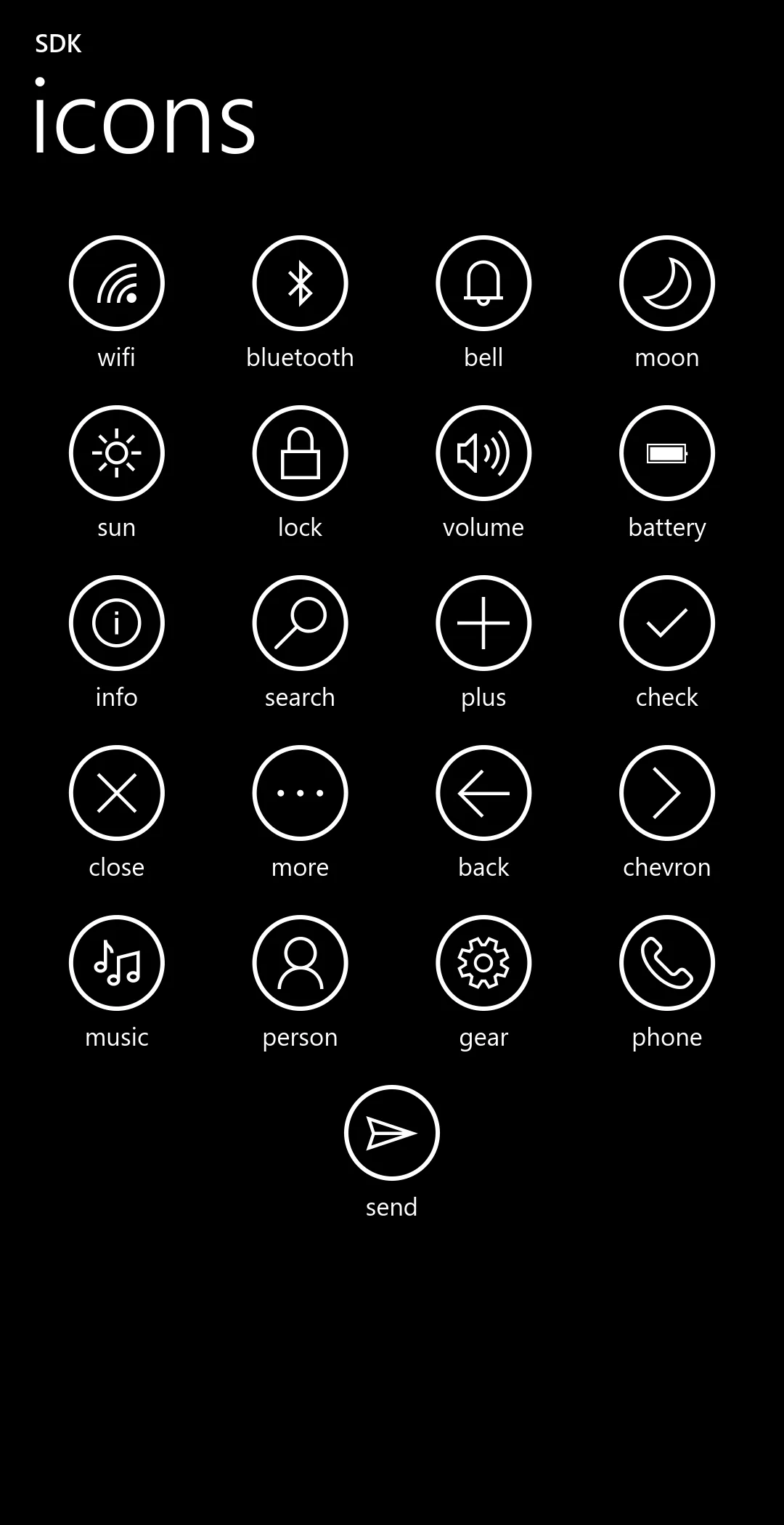
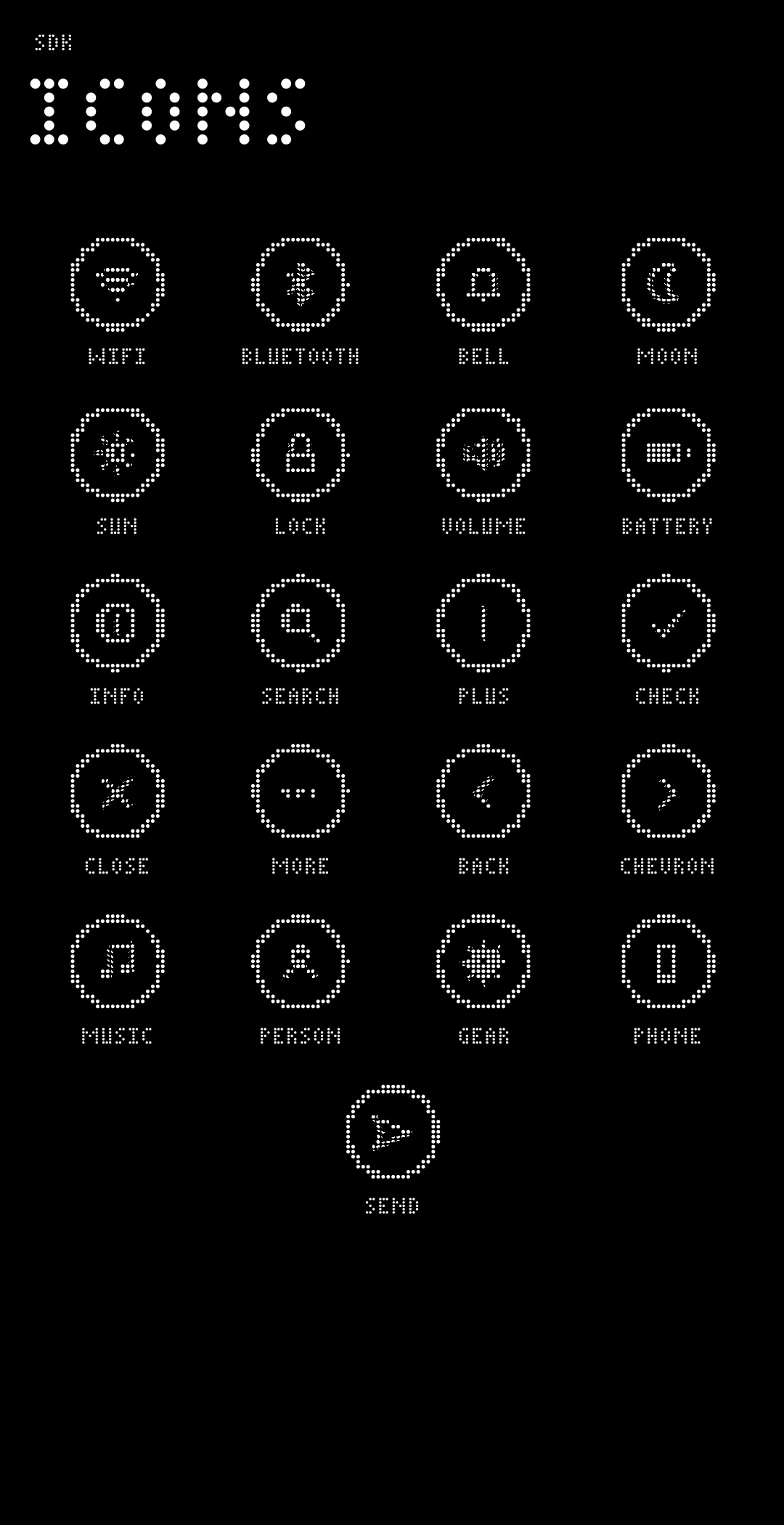
const char *names[] = { "wifi", "bluetooth", "bell", "moon", "sun", "lock", "volume", "battery", "info", "search", "plus", "check", "close", "more", "back", "chevron", "music", "person", "gear", "phone", "send" };
for (int i = 0; i < 21; i += 4) {
	zui_node *row = zui_row(page);
	for (int k = i; k < i + 4 && k < 21; k++) {
		zui_node *b = zui_button(row, names[k], NULL, NULL);
		zui_set_icon(b, names[k]);
		zui_set_flex(b, 1);
	}
}
const char *names[] = { "wifi", "bluetooth", "bell", "moon", "sun", "lock", "volume", "battery", "info", "search", "plus", "check", "close", "more", "back", "chevron", "music", "person", "gear", "phone", "send" };
for (int i = 0; i < 21; i += 4) {
auto row = page.row();
for (int k = i; k < i + 4 && k < 21; k++)
row.button(names[k]).set_icon(names[k]).set_flex(1);
}for names in ["wifi", "bluetooth", "bell", "moon", "sun", "lock", "volume", "battery", "info", "search", "plus", "check", "close", "more", "back", "chevron", "music", "person", "gear", "phone", "send"].chunks(4) {
let row = page.row();
for name in names {
row.button(name).set_icon(name).set_flex(1.0);
}
}names = ["wifi", "bluetooth", "bell", "moon", "sun", "lock", "volume", "battery", "info", "search", "plus", "check", "close", "more", "back", "chevron", "music", "person", "gear", "phone", "send"]
for i in range(0, 21, 4):
row = page.row()
for name in names[i:i + 4]:
b = row.button(name)
b.icon = name
b.flex = 1| Name | Segoe MDL2 Assets code point |
|---|---|
send | U+E724 |
chevron | U+E76C |
back | U+E72B |
check | U+E73E |
plus | U+E710 |
close | U+E711 |
more | U+E712 |
search | U+E721 |
wifi | U+E701 |
bluetooth | U+E702 |
bell | U+EA8F |
moon | U+E708 |
sun | U+E706 |
lock | U+E72E |
volume | U+E767 |
battery | U+E83F |
info | U+E946 |
music | U+E8D6 |
person | U+E77B |
gear | U+E713 |
phone | U+E717 |
From libzrnui/src/icons.c.
Busy
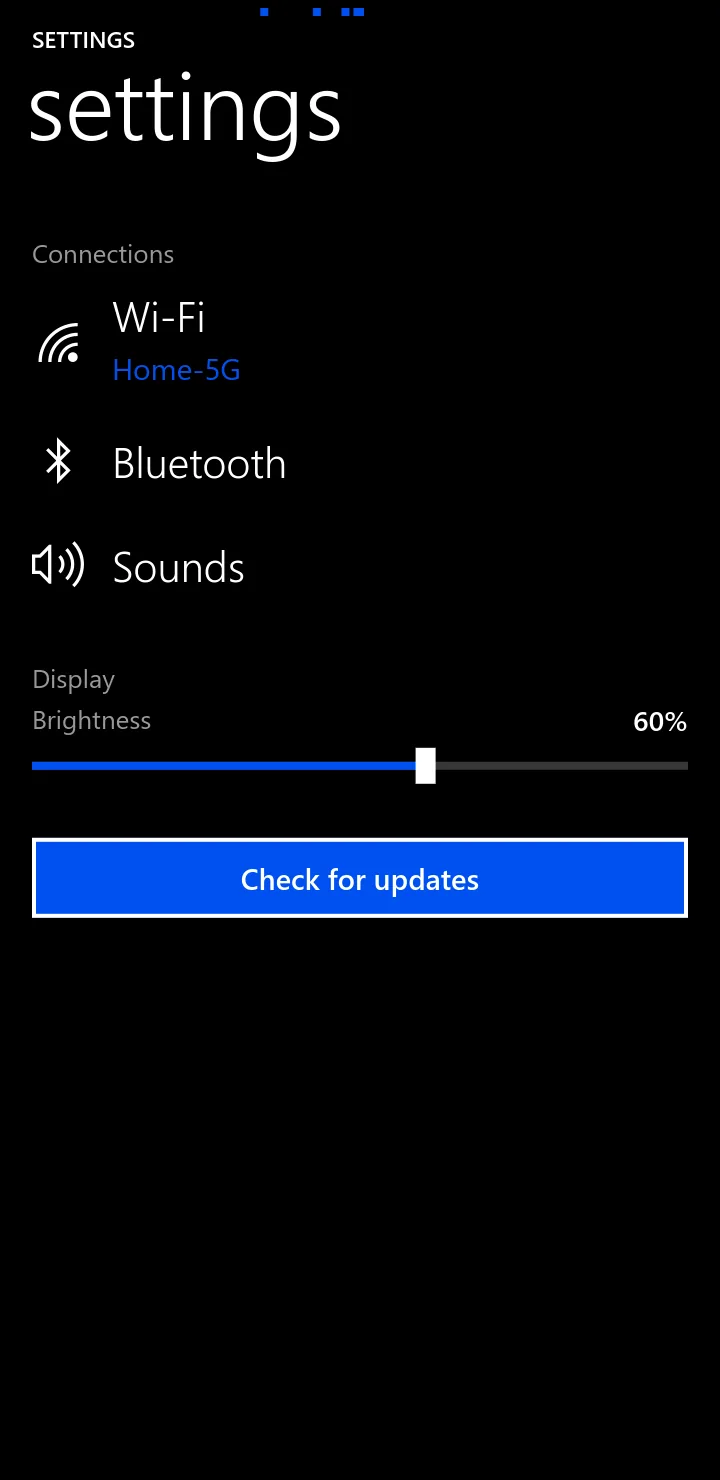
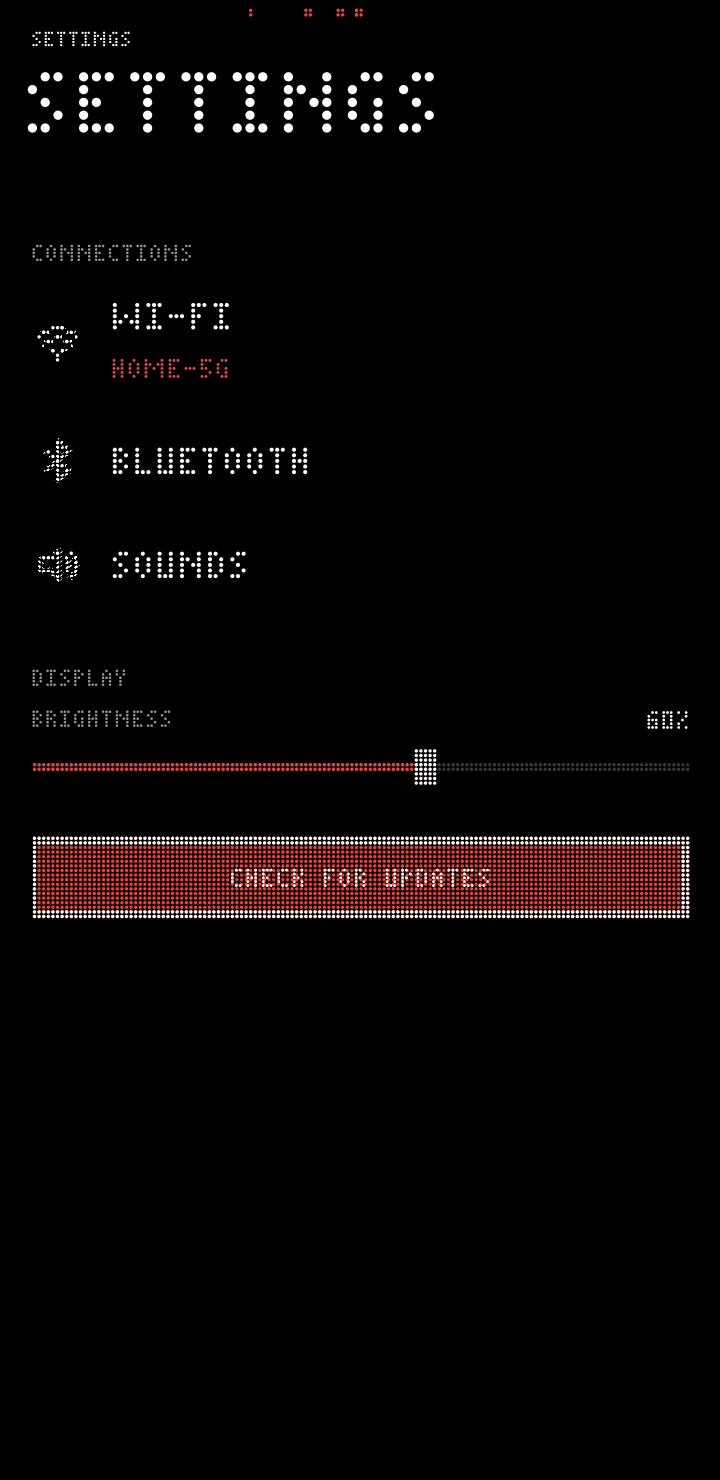
zui_busy(app, true), or app.busy(True) in Python, shows that something is loading: dots crossing the top of the screen. These pictures come from a running app in a virtual compositor, one instant of the movement. See it move.
Toast
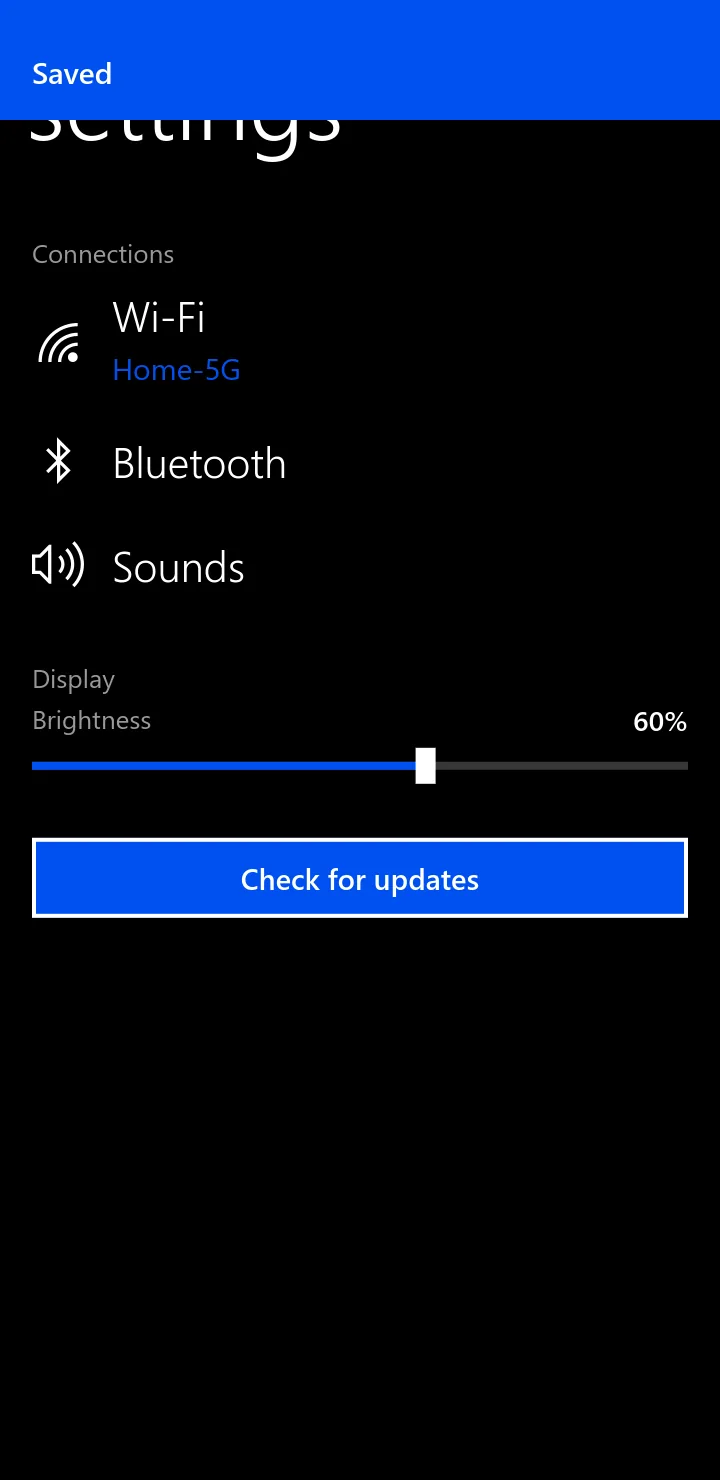
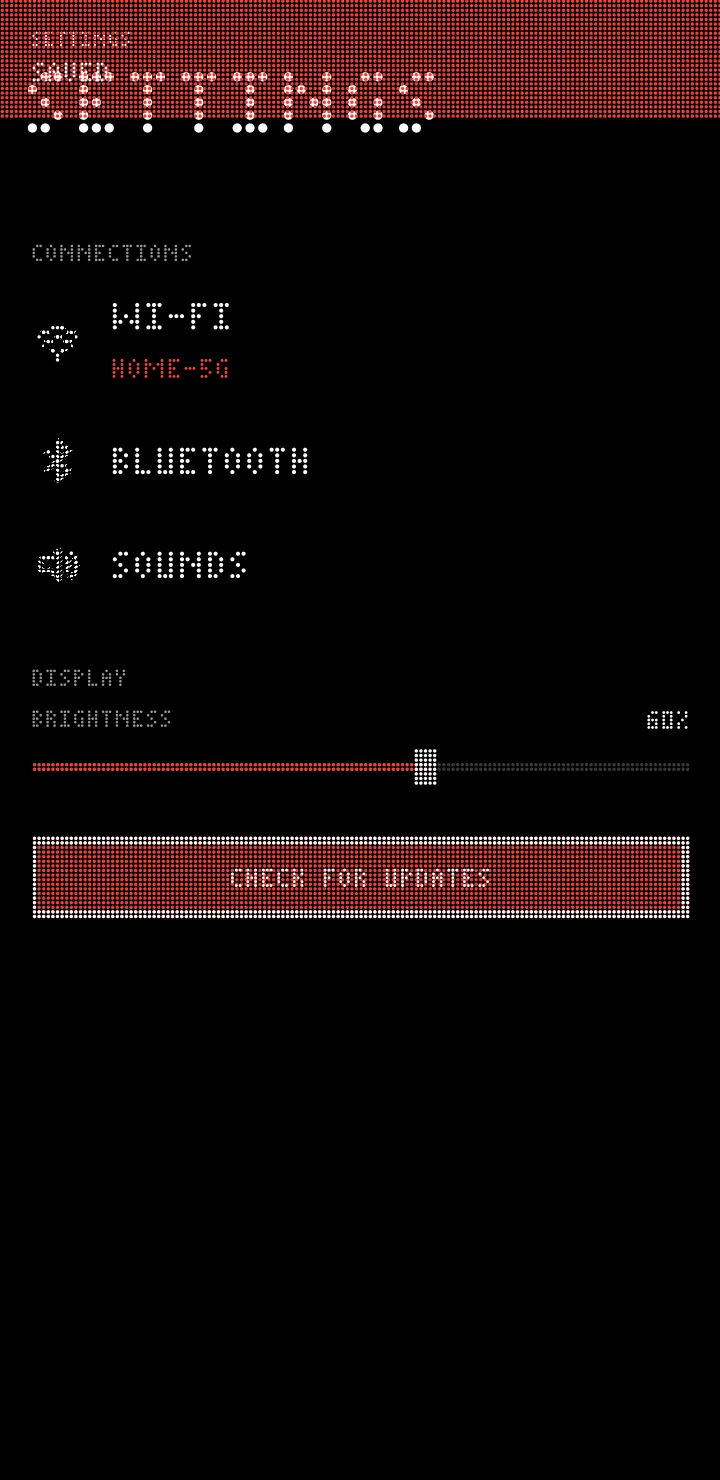
zui_toast(app, "Saved"), or app.toast("Saved") in the other languages, shows a short message for 2.6 seconds, on an accent bar from the top.
Changing things after they are made
The tree stays. Keep the node and change it: the app redraws only when something changed.
| C | C++, Rust | Python | Does |
|---|---|---|---|
zui_set_text, zui_get_text | set_text, C++ text_value, Rust get_text | set_text(), .text_value | Label, title or field text |
zui_set_detail | set_detail | .detail= | An item's value on the right; a switch's second line |
zui_set_subtitle | set_subtitle | .subtitle= | The line under a title |
zui_set_value, zui_get_value | set_value, value | .value | Slider or progress, 0 to 1 |
zui_set_on, zui_get_on | set_on, is_on | .on | A switch |
zui_set_enabled | set_enabled | .enabled= | 40 % opacity, no touch |
zui_set_visible | set_visible | .visible= | Hidden nodes take no room |
zui_clear, zui_destroy | clear, C++ destroy | clear(), destroy() | Remove what is in it, or it. Do not use old handles after |
Checked against zrn-sdk commit ea16771. Pictures are real renders of code that compiled. Source and proof.