Coming next
This work is in progress in zrn-sdk but not in the pinned commit. Names and behaviour may change. Nothing on this page is documented elsewhere on the site.
| What | In short |
|---|---|
| Live theme following | Apps follow the system's Dark or Light theme and accent while they run |
| Holding and flyouts | A press and hold raises Holding, and can open a flyout |
| Continuum and slide-up transitions | More page transitions beside the turnstile |
| Keyboard inset | Pages make room for the on-screen keyboard |
Cached rows, Z_CACHE_BITMAP | List rows drawn once and reused while scrolling |
| Colour emoji | Emoji drawn in colour |
| Scroll anchoring | The view stays put when content above it changes |
| Swipes | Swipe gestures on list items |
| zrn-frosted-diffusion | A frosted, blurred backdrop: NONE, NORMAL, ASCENDING, DESCENDING, and a system-wide switch. Pictures below |
.zexec format 2 | Signed store packages for v2 apps |
zrn-frosted-diffusion
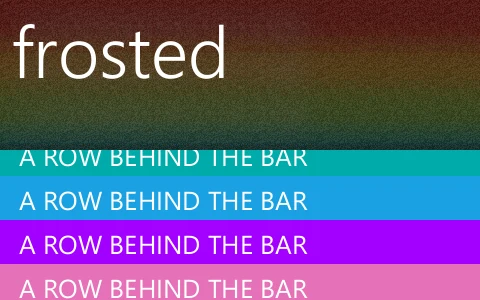
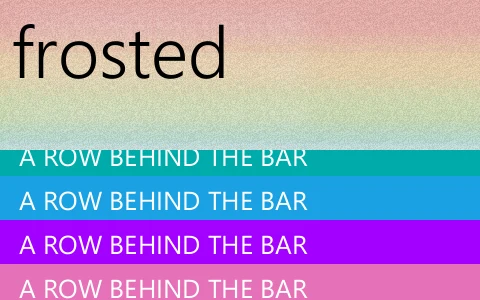
What lies behind an element shows through it, blurred and grainy, under a theme tint at 75 %. The element's own text and icons stay sharp on top. App bars, headers and composers are the use.
Zelement_set_frosted_diffusion(bar, Z_FROSTED_DIFFUSION_NORMAL, Z_RES_PHONE_CHROME_BRUSH);
Zset_frosted_diffusion_enabled(false);   // the system-wide switch
A clip of it over scrolling content is on Animations. These pictures were drawn by zrnui's GLES2 renderer, offscreen through Mesa on a laptop, from the uncommitted working tree on top of 71a5ace. The program is gen/frost.c. A bar 150 px tall lies over the top of coloured rows.
Z_FROSTED_DIFFUSION_NONE
NONE
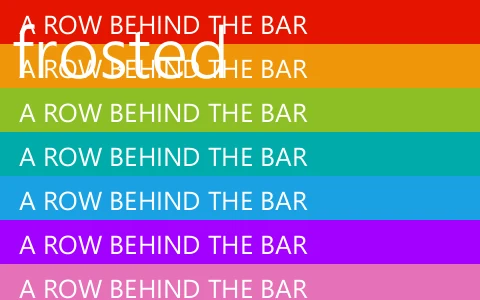
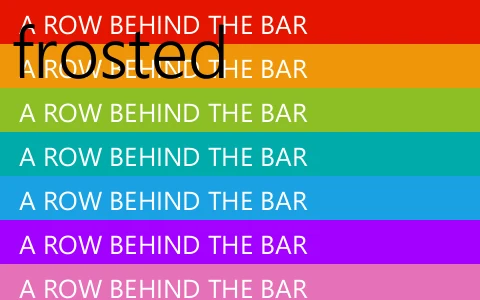
Z_FROSTED_DIFFUSION_NORMAL
NORMAL
Z_FROSTED_DIFFUSION_ASCENDING
ASCENDING: full at the top, fading down
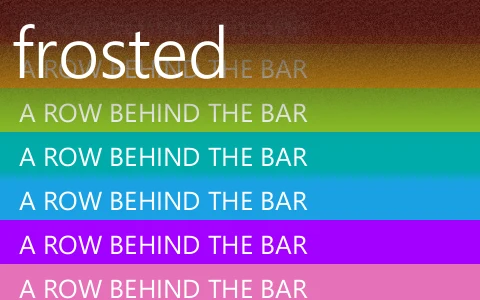
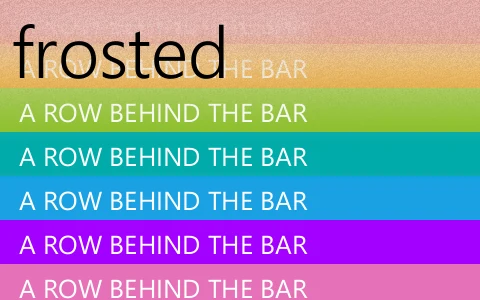
Z_FROSTED_DIFFUSION_DESCENDING
DESCENDING: full at the bottom, fading up
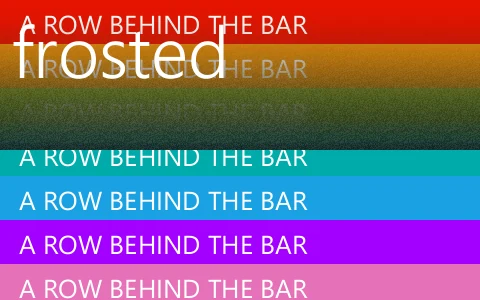
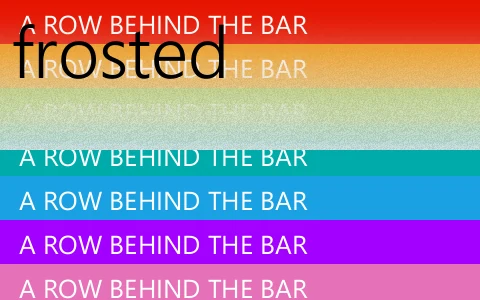
The software renderer does not blur: it fills the element with the tint. When the system-wide switch is off (ztOS Settings, theme, frosted diffusion, or frost = 0 in ~/.config/ztmetro/config), every frosted element paints only its tint, opaque, and nothing is blurred. zrnapp windows follow that switch live. At most 16 elements have the effect at a time.
Checked against zrn-sdk commit 71a5ace (SDK v2). Pictures and clips are drawn by zrnui's GLES2 renderer, offscreen, from code that compiled, against the zrn-sdk working tree on top of that commit (it adds the app bar measured on a Windows Phone 8.1 phone and the Segoe WP font lookup), in Segoe WP. Source and proof.